Following the major rebranding release of version 3.0, we have been closely monitoring feedback and working on refinements. Today, we are happy to announce the release of RAXO Content Spotlight J6 v3.02.
While this release includes a list of minor fixes and stability improvements, the spotlight (pun intended) is on a major new feature under the hood: a completely Enhanced Error Logging System.
New features:
- Enhanced logging system for efficient troubleshooting.
- New localization's of the module for Spanish, French, and Polish have been added.
Improved:
- Align the authorship filtering logic with standard Joomla behavior by removing the
modified_bycheck. - Module installation script now checks for minimum PHP version (8.2).
- Translation for Featured Articles has been corrected to be closer to usual Joomla terms.
- Fixed warning: Undefined variable
$textwhen Clean HTML option is disabled. - Small database query optimization: retrieve article fulltext only when necessary.
- Show important errors in frontend only for Super User or when
JDEBUGis on.
Introducing the New Logging System
For web studios, developers, and site administrators who manage large websites with complex content structures, "blind" debugging is a thing of the past. We have introduced a robust diagnostic tool designed to make troubleshooting transparent and efficient.
This new system allows you to easily track the module's operation, understand exactly at which stage a problem occurs, and pinpoint the cause — whether it is a server configuration issue, a bad source image, or a mistake in the module settings.
Key Features & How It Works
1. Dedicated Log File
To keep things organized, all messages generated by our modules are now written to a distinct file. You don’t need to hunt through the general Joomla error logs to find RAXO-specific events.
File location: /administrator/logs/raxo_debugger_log.php
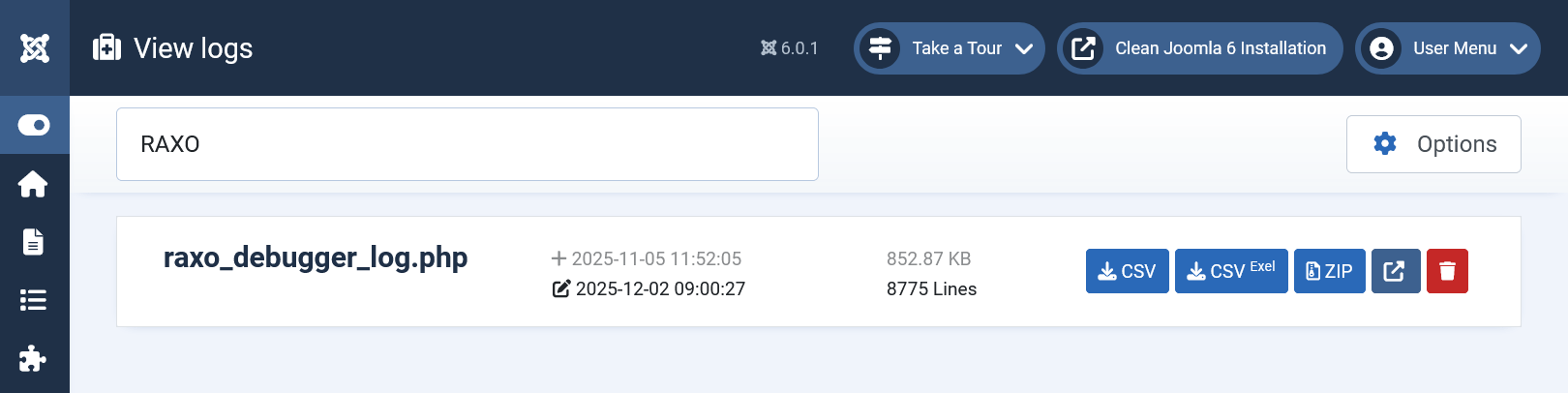
Tip: You can view this file via FTP or by installing a Joomla extension designed for viewing logs, which allows you to view them directly in the Joomla backend (e.g. 'View logs' from WebTolk).
2. Intelligent Priority Levels
Not all messages are created equal. The system categorizes events by priority to reduce noise:
ERROR & WARNING : These are critical issues that affect functionality. They are always written to the log, regardless of your settings.
NOTICE & INFO : These are detailed operational steps (useful for deep debugging). They are only logged when the global Joomla Debug System is enabled.
3. User-Facing Alerts vs. System Logs
We have implemented logic to distinguish between technical errors and user mistakes:
User-Correctable Configuration Errors: If an error is caused by incorrect module settings (e.g., selecting "By Category" but selecting no categories), the module will display a clear notification on the frontend. This allows the administrator to see and fix the issue immediately without digging into logs.
Internal & System Errors: Unexpected stops or server-side issues (like missing image drivers) are recorded in the log file for the administrator to analyze.
4. Instance Identification by Module ID
On large news portals or magazine sites, you might have dozens — or even hundreds — of RAXO module instances running simultaneously. Knowing *an* error occurred is not enough; you need to know *where*.
Every log entry now includes the Module Abbreviation (RAXO Content Spotlight = RCSL) and its Unique Module ID:
ERROR    RCSL-ID112   Some explanatory error message.
NOTICE   RCSL-ID202   Notification from another module instance.
This tells you exactly which module instance (ID 112) generated the message, allowing you to find it instantly in the Joomla Module Manager.
Analyzing the Logs: Real-World Examples
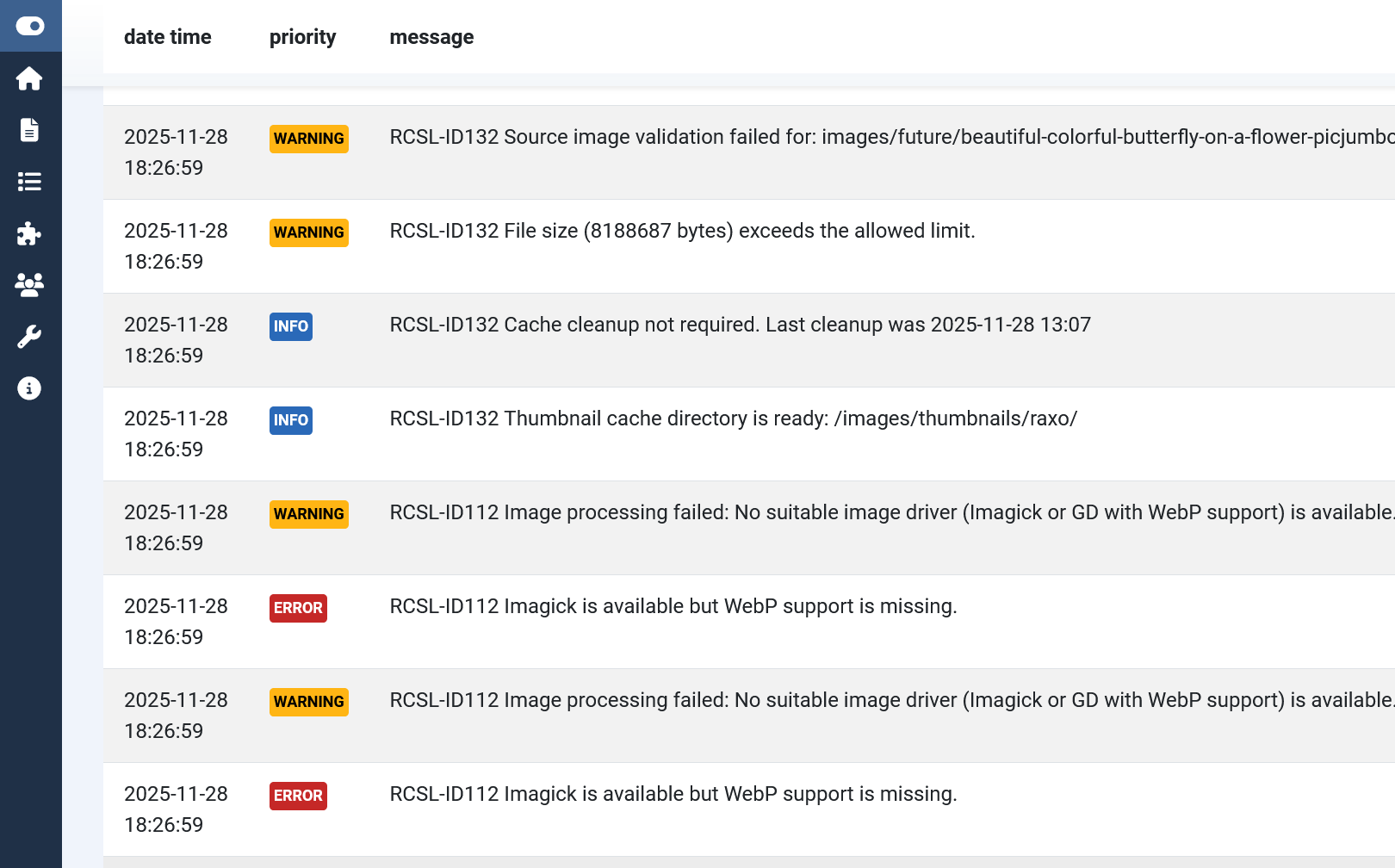
As a site administrator, you can enable the Joomla Debug System to view all messages generated by the module on the front end in the Log tab of your debugger. (Global Configuration > System > Debug > Debug System: Yes)

Here is how the new logging system helps you solve common problems in seconds.
Case 1: Identifying Server Configuration Issues
Sometimes, image generation fails not because of the module, but because of the server environment.
2025-11-30 11:31:37   ERROR    RCSL-ID112   Imagick is available but WebP support is missing.
2025-11-30 11:31:37   WARNING  RCSL-ID112   Image processing failed: No suitable image driver (Imagick or GD with WebP support) is available.
What this tells you: The module attempted to create thumbnails but failed. The log clearly indicates that while the ImageMagick driver is active, the server lacks support for the WebP format.
The Fix: You know immediately to contact your hosting provider to enable WebP support, rather than guessing why images aren't loading.
Case 2: Source Image Validation
The module protects your site performance by validating images before processing them.
2025-11-30 11:30:51   WARNING   RCSL-ID132   File size (8188687 bytes) exceeds the allowed limit.
2025-11-30 11:30:51   WARNING   RCSL-ID132   Source image validation failed for: images/future/beautiful-colorful-butterfly.jpeg
What this tells you: The module skipped a specific image because the file size (\~8MB) was too large to process safely based on your settings.
The Fix: You see the exact file path causing the issue. You can replace the image or adjust the allowed limits in the module configuration.
Case 3: Configuration Errors (Frontend & Backend)
When a setting is missed, the module explains why it cannot output content.
2025-12-01 09:11:17   ERROR   RCSL-ID112   Source is set to "Selected Categories", but no categories are chosen in the module settings.
2025-12-01 09:11:17   INFO    RCSL-ID112   No articles found based on the current module settings.
What this tells you: The filter logic is broken because the user selected a filter mode but didn't pick the necessary items.
The Fix: In addition to this log, the module will display a warning on the frontend so the admin sees the mistake immediately upon refreshing the page.
Case 4: Smart Caching & Maintenance
When Joomla Debug mode is on, you can see the module's health status.
2025-11-30 13:03:07   INFO    RCSL-ID112   The Imagick image driver is available and in use.
2025-11-30 13:03:07   INFO    RCSL-ID112   Thumbnail cache directory is ready: /images/thumbnails/raxo/
2025-11-30 13:03:07   INFO    RCSL-ID112   Cache cleanup not required. Last cleanup was 2025-11-28 13:07
What this tells you: The module is functioning correctly, the image driver has been found, the cache folder is writable, and the automatic cleanup routine is running on schedule.
Quick Fix Release:
RAXO Content Spotlight v3.03 Changelog:
Date: 08 December 2025
- Improved fallback to GD image driver if Imagick does not support WebP.
- Preparing for PHP 8.5: fixed deprecated functions curl_close() and finfo_close().
- TypeError fixed: cannot assign null to property $view of type string.
How to Upgrade
You can update to the latest version by downloading the module package from the link in the RAXO Update Newsletter, which is sent to all current customers.