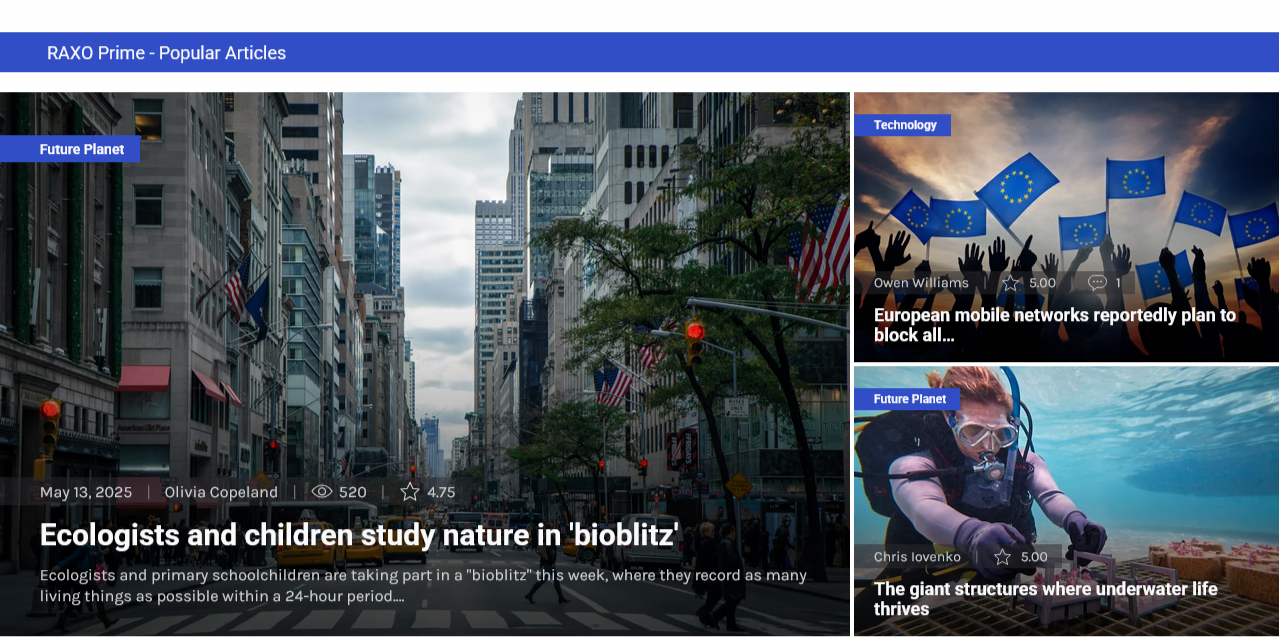
We are thrilled to announce a major update to RAXO Prime, our most visually stunning Joomla module layout. This version represents a complete technical overhaul, moving away from traditional media queries to the cutting edge of CSS Container Queries and Grid. These changes ensure that your content looks flawless regardless of where it is placed on your site, offering unprecedented flexibility and ease of use. We invite you to explore the exciting new features and performance enhancements that make RAXO Prime the perfect showcase for your content.
New Features and Improvements
- Smart Container Queries & CSS Grid The layout now responds to the actual width of its container rather than the screen size, while the CSS Grid architecture ensures pixel-perfect alignment in any position.
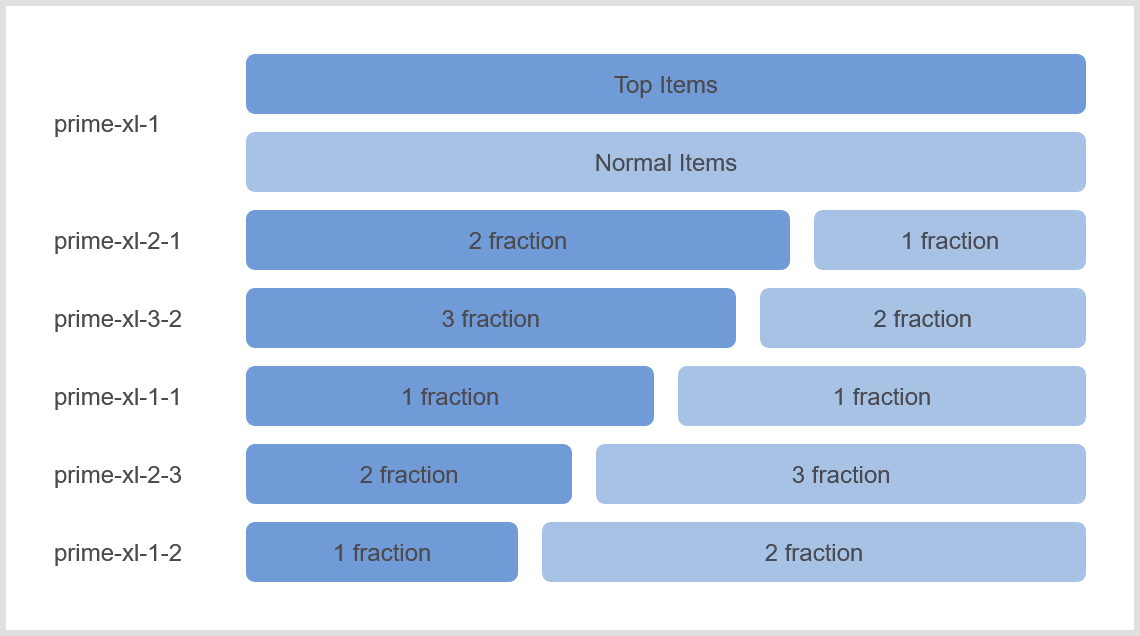
- Limitless Layout Proportions Easily define the exact ratio between your Top and Normal items using intuitive classes (e.g.,
prime-lg-1-1orprime-xl-1-2) to create a truly unique and balanced design. - Independent Column Control Take full control of your presentation by setting different column counts for Top and Normal blocks, allowing them to scale independently across various breakpoints.
- Unified Color Management & Dark Mode Choose from professional color presets that instantly match your brand, with native dark mode support that intelligently dims images to reduce eye strain.
- Always Readable Text Enjoy perfect legibility for titles and descriptions over any image, thanks to a sophisticated darkening effect that combines smart gradients and subtle text shadows.
- Refined Interaction & Performance Engage your visitors with smooth, modern hover animations and enjoy faster load times thanks to a clean, semantic code base built for performance and SEO.
The Power of CSS Grid + Container Queries
RAXO Prime introduces a revolutionary approach to responsive design by leveraging Container Queries instead of traditional Media Queries. While old designs react to the browser's total screen size, RAXO Prime intelligently monitors the actual space it occupies. This means whether the module is in a wide main content area, a narrow sidebar, or inside a tab, it always knows how to adjust itself for the best possible presentation.
The layout is exceptionally dynamic and morphs its structure based on these key parameters:
-
Total Flexibility in Content Selection
You have complete control over the number of articles displayed in each section. The layout is smart enough to handle any configuration—it works flawlessly whether you use both sections or choose to display only "Normal" items. For the most balanced and professional look, we recommend matching your item count to your grid; for instance, choosing an even number of articles if you plan to display them in two columns. -
Smart Column Management
You can now independently set the number of columns (from 1 to 6) for different sections. Crucially, the layout is smart enough to prioritize readability: it will only display your requested number of columns if the container width permits. If the space becomes too narrow, the layout automatically reduces the column count to ensure that no item ever drops below its minimum readable size. -
Top and Normal Section Proportions
You have total control over how the space is shared. You can set proportions ranging from 1/6 or 1/5 up to a full 100% width for either section. These proportions are responsive, meaning the layout can automatically switch from a vertical stack on small containers to a sophisticated side-by-side split on larger ones.
Important Note for Existing Users
Because this update introduces a completely new technical architecture, the layout's behavior has changed significantly compared to previous versions. While we have included smart default settings to ensure a smooth transition, you will likely need to adjust your module settings and re-assign new CSS classes in the module administration to achieve your desired look. We strongly recommend making a full backup of your site and current module settings before performing this upgrade.